The first in a series of posts that investigate problematic performance KPIs on live commercial websites.
Table of Contents
Intro
In a recent Today’s Readings, I spotlighted Speedcurve’s Page Speed Benchmarks dashboard as a great resource for comparing synthetic performance data for leading websites from around the world.
The dashboard allows us to click through synthetic performance data for the top sites across various industries, from various geolocations, and even differing connection speeds. Speedcurve’s introductory article does a very thorough job of explaining how the tests are setup and conducted.
While playing around, I became curious about some of the performance metrics I was seeing…
Notably, when viewing USA > Retail > LCP with a Fast connection, I see that both Nike and Wish record a high LCP for some reason (Costco actually reports the highest LCP of the group, but that is related to a layout shift):
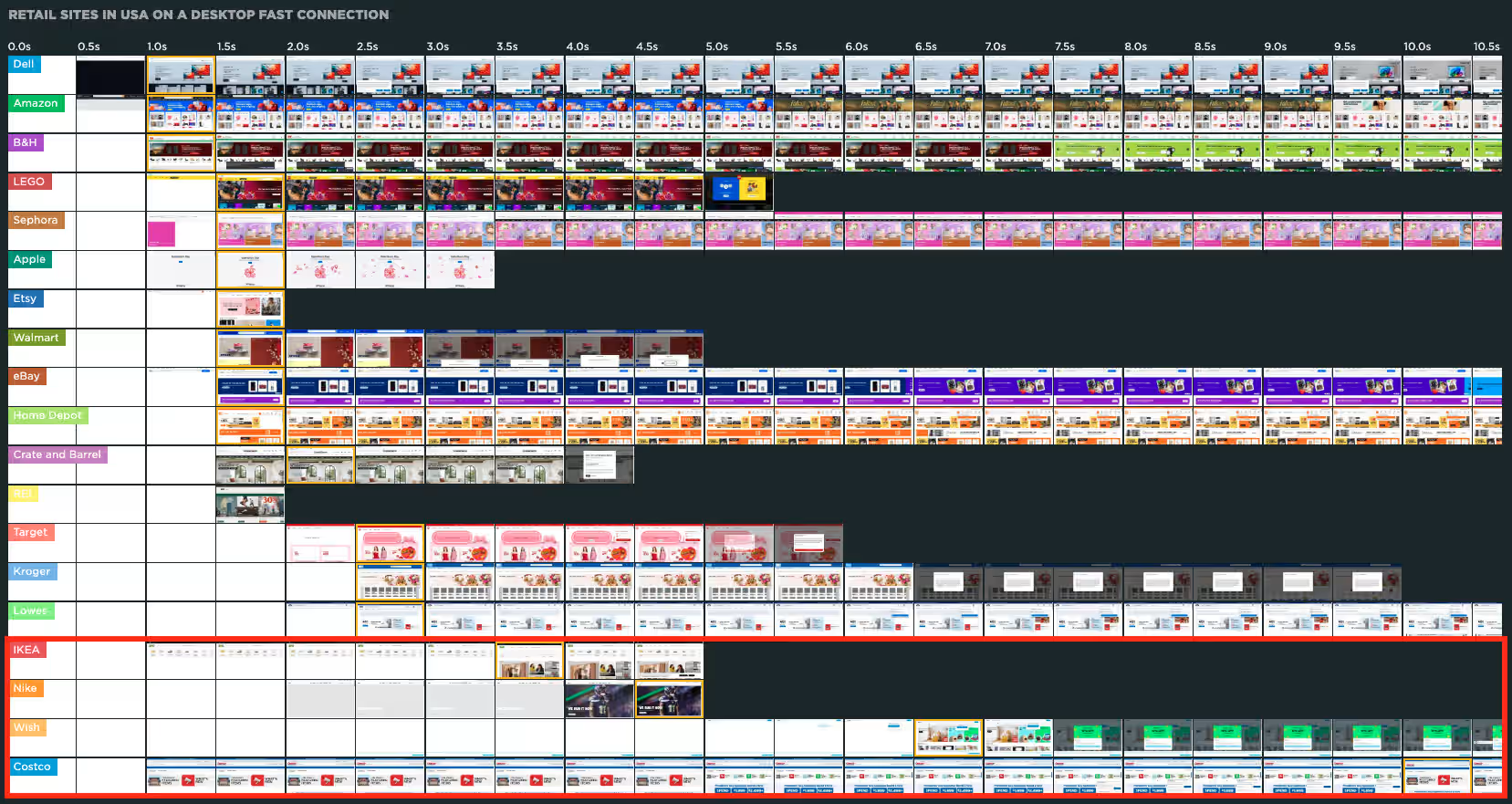
And, being the curious little bugger that I am, I just had to find out if these issues also existed for real users and, if so, what the cause might be, and whether or not it could be improved…
In this article I will be looking at Nike.com.
Exploring the Issue
The Speedcurve dashboard reported an LCP of 4.36s for Nike, well above the ideal 2.5s:

My own tests used the latest Chrome with browser cache disabled and network speed throttled to Fast 3G; after 10 page loads, they returned an average LCP of 3.34s. Still well above the desired 2.5s threshold.
So what might be causing this? The LCP asset is a large hero image:

But that alone shouldn’t cause slow speeds.
Checking the DevTools Network panel, I see the image is being served as an AVIF (good) and weighs only 40.3kb (very good), so I don’t think that’s the issue:

(But take note of the value in the “Initiator” column, we’ll come back to that in a little bit.)
Inspecting the hero image, I see that it is not being served as a responsive image (based on the data attributes, it looks like JS handles that, more on that later too):
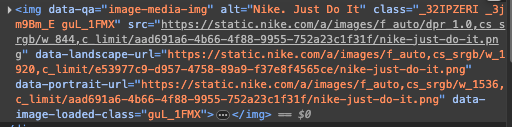
The combination of react-dom.production as the Initiator and the data-landscape-url and data-portrait-url attributes made me wonder how the page loaded with JS disabled, meaning, what the browser initially receives. And here is what it gets… Nothing:
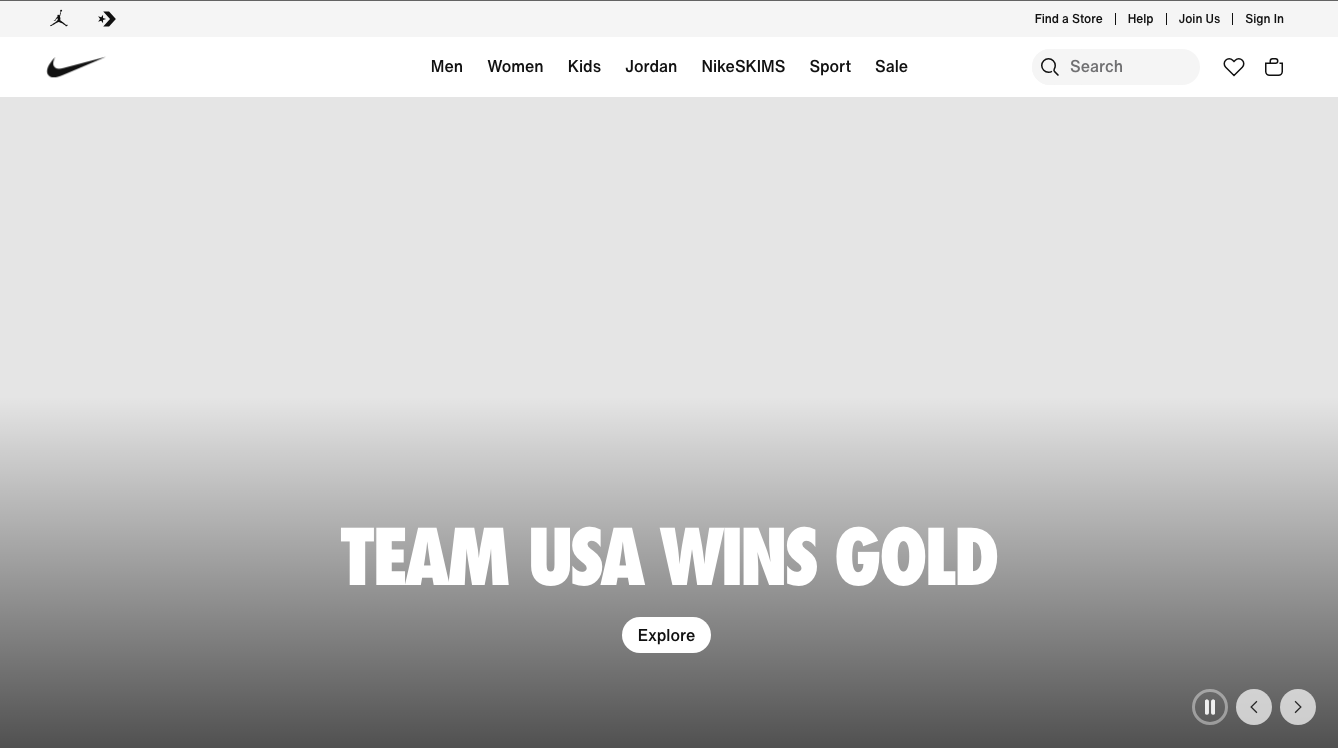
That’s because the raw HTML that the browser initially receives for the hero image has no initial src attribute value:

The issue with this is that, without a src, the browser has nothing to start downloading. Instead, it has to wait for some JS to download, parse, and execute, which might have to wait for other JS that is already queued to do the same thing, then the JS can determine which data URL should be used and apply that to the img element, and only then can the browser start to download the hero image.
Once the URL is applied to the src, the image downloads fairly quickly:
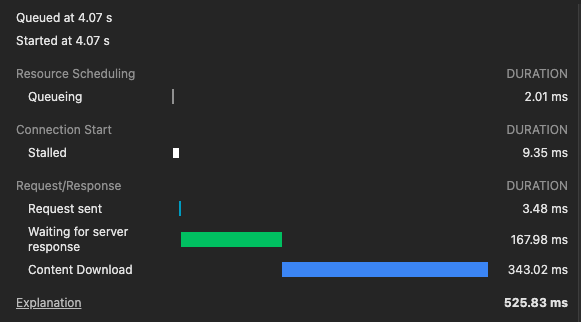
In this specific page load experience, the browser waited 4.07s before even trying to request the download, then had to wait 11.36ms before the request could be sent, and then another 514.48ms for the actual download.
And once the image arrived in the browser, there is CSS that delays its appearance further by initially setting the opacity to 0, then slowly fading it into view:
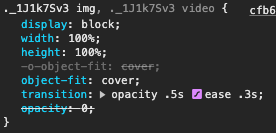
This all adds up to the user not seeing the hero image for probably 3-6s, depending on their connection speed and device power.
So, is there anything that we can do to improve this?
Well, let’s see…
Improving the Issue
A couple of issues jump out at me, some more problematic than others…
- The biggest issue for me is that the hero
imgelement has no initialsrc, and relies on JS to get one (that’s the Initiator value that I mentioned earlier, in this case React). This causes a huge delay. - Also, there are numerous CSS, JS and other images in the DOM before the hero image, so even if the above was fixed, the hero image still would not be requested until all of those other files were requested.
- Another related issue is that the hero component uses duplicate HTML: there is one entire carousel for the “portrait” images, and a complete duplicate carousel for the “landscape” images (although all of the images in both carousels have both sets of
dataattributes). Additional JS is used to determine which should be visible, and to switch back and forth, as necessary. This also requires JS monitoring and activity, which is an added tax on the user’s browser. - Next, browsers natively download images with a low priority, and that includes this hero image. But we can “request” a higher priority for important images, using
fetchpriority. This might, or might not, be okay, depending on what else the page has to “do”. But the hero image, which will become the LCP, might benefit from a higher priority to encourage a sooner download. - Finally, that initial
opacity: 0and slow fade-in for the carousel images delays the LCP even further. I understand the desired aesthetic, so that would be another consideration.
So how do we tackle these issues?
Well, the first thing I would do is remove the duplicate HTML, leaving only a single carousel, and use a single picture element for each slide, each with separate source elements for each image size, using media attributes to determine which image is served on which screen size.
That would convert something like this:
<!-- First the portrait carousel slide... -->
<div orientation="portrait" ...>
  ...
    <img data-qa="image-media-img" alt="Nike. Just Do It" class="_32IPZERI _3jm9Bm_E" src="" data-landscape-url="https://static.nike.com/a/images/f_auto,cs_srgb/w_1920,c_limit/e53977c9-d957-4758-89a9-f37e8f4565ce/nike-just-do-it.png" data-portrait-url="https://static.nike.com/a/images/f_auto,cs_srgb/w_1536,c_limit/aad691a6-4b66-4f88-9955-752a23c1f31f/nike-just-do-it.png" data-image-loaded-class="guL_1FMX"/>
  ...
</div>
<!-- Then the landscape carousel slide... -->
<div orientation="landscape" ...>
  ...
    <img data-qa="image-media-img" alt="Nike. Just Do It" class="_32IPZERI _3jm9Bm_E" src="" data-landscape-url="https://static.nike.com/a/images/f_auto,cs_srgb/w_1920,c_limit/e53977c9-d957-4758-89a9-f37e8f4565ce/nike-just-do-it.png" data-portrait-url="https://static.nike.com/a/images/f_auto,cs_srgb/w_1536,c_limit/aad691a6-4b66-4f88-9955-752a23c1f31f/nike-just-do-it.png" data-image-loaded-class="guL_1FMX"/>
  ...
</div>
Into something like this:
<picture>
    <source width="828" height="1240" media="(max-width: 599px)" srcset="https://static.nike.com/a/images/f_auto,cs_srgb/w_1536,c_limit/aad691a6-4b66-4f88-9955-752a23c1f31f/nike-just-do-it.png">
    <source width="1920" height="933" media="(min-width: 600px)" srcset="https://static.nike.com/a/images/f_auto,cs_srgb/w_1920,c_limit/e53977c9-d957-4758-89a9-f37e8f4565ce/nike-just-do-it.png">
    <img src alt="Nike. Just Do It" class=""/>
</picture>
This not only eliminates the duplicate HTML, which reduces the overall document size, but also the need for JS to toggle the two carousels back-and-forth. This also simplifies the DOM, leaving less for the browser to maintain in memory and repaint with layout shifts.
This further lets the browser decide which image size to display, freeing JS from that task as well, which lets the browser just show the correct image immediately, rather than wait for JS to get setup and make that decision.
By also removing the fade-in CSS, we get the hero image in front of the user much sooner.
After making just those changes, you can already see a vast improvement below. On the left is the current Nike.com home page; on the right is that same page, with the above changes:
The updated page renders the LCP in 2.62s instead of the live page’s 4.92s; that’s nearly half the time!
But 2.62s is still above the “green” Core Web Vital threshold, so, can we do more?
I mentioned above that the browser still cannot request that LCP image until it sees it in the DOM, which currently only happens after numerous requests for CSS, JS and other image files.
So I also added a preload link in the head, and added a fetchpriority="high" to that preload link, like this:
<link rel="preload" as="image" type="image/png" fetchpriority="high" media="(max-width: 599px)" href="https://static.nike.com/a/images/f_auto,cs_srgb/w_1536,c_limit/aad691a6-4b66-4f88-9955-752a23c1f31f/nike-just-do-it.png">
<link rel="preload" as="image" type="image/png" fetchpriority="high" media="(min-width: 600px)" href="https://static.nike.com/a/images/f_auto,cs_srgb/w_1920,c_limit/e53977c9-d957-4758-89a9-f37e8f4565ce/nike-just-do-it.png">
(Note that you need a separate preload link for each image size, and each needs a media attribute/value that matches those on the picture‘s source elements.)
With this addition to the HTML, we now have the following:
And look at that! The LCP now loads at 1.36s, more than one full second lower than the desired CWV recommendation, and roughly 3.6s faster than the current live page!
Now, these are not small changes to make to an existing template that is already tested and functioning as desired, so only the good folks at Nike.com could decide if these improvements are doable and worth the squeeze. But a 3.6s LCP improvement seems like it might be worth a shot, no? :-)
Summary
There are very, very few “right” and “wrong” ways to do things in web development. Most things have arguably “better” and “worse” ways of doing things, but most often, each way has pros and cons, and those have to be weighed against one another, and should ideally be tested, to confirm what is the best way to do something for that specific situation.
So, while this article provides what I think is an improvement to the user’s experience, I have absolutely no idea what is happening within the walls of Nike.com, so therefore I cannot say “this is how it should be done”.
I am merely highlighting options that could improve an aspect of the page load. Whether or not they can, or should, be implemented within Nike.com’s process, is something for that team to look into and decide.
Again, the point of this article was to a) satisfy my curiosity, and b) demonstrate how someone might investigate, and try to improve upon, a performance issue. And I think I have done that. Thanks for joining me!
Resources
- Speedcurve’s Page Speed Benchmarks dashboard
- Speedcurve’s Introduction to the Page Speed Benchmark dashboard
- Google’s article introducing the Core Web Vitals
- Google’s article explaining Largest Contentful Paint (LCP)
- Mozilla Developer article for the `picture` element
- Mozilla Developer article for the `preload` link
- Mozilla Developer article for the `fetchpriority` attribute
Happy optimizing,
Atg
I’ve run into this kind of scenario many times but I’ve not seen it laid out so simply and it’s amazing how such (relatively!!) small changes can make such a big impact in page load
Thanks, @Luke!
Yes, the
preloadlink, with addedfetchpriority, really gives a great headstart…If I was working for Nike, I would try a series of tests, one for each change, to measure level of effort vs. benefit.
I guess I kind of did by testing updating the HTML before adding the
preload, but kinda curious how just thepreloadwithout the changed HTML/CSS would do…